Making a payment
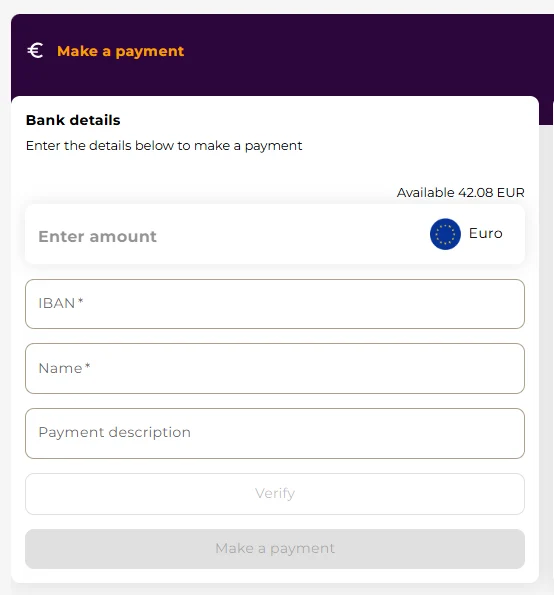
Making a payment is simple and quick. To start, go to the IBAN section and click the Make a payment button. Enter the required payment information in the designated fields, including the recipient’s IBAN, name, amount, and an optional payment description.
Once all details are entered, press Verify to check the information and then confirm the payment to complete the transaction.
For faster payments to recipients you have used before, you can also use the Quick pay feature. Quick Pay allows you to select a saved beneficiary from a list by searching for their name or IBAN. When a recipient is selected, their payment details are automatically filled in, allowing you to simply enter the amount, verify the information, and complete the payment in just a few steps.
Click here to learn more on Quick pay.
SEPA payments are typically credited on the same business day or within one business day, depending on the sending financial institution and the payment type.
If the sender’s financial institution supports SEPA Instant, transfers can arrive within seconds (usually under 10 seconds) and are available 24/7, including weekends and holidays. The availability of SEPA Instant depends on the sender’s bank and the specific transaction conditions.